
When I first reviewed the Bambu Lab H2D printer, I focused on the highlights: fast prints, excellent quality, and some impressive dual-extruder magic. But after several months of heavy use, I’ve had plenty of time to uncover the less glamorous side of ownership.
I’ve been documenting the hiccups and failed prints I’ve encountered, including issues with the printer itself, the AMS (Automatic Material System), and even the broader Bambu Lab ecosystem.
In this post, I’ll share what’s gone wrong, how often it’s happened, and in some cases, what’s helped fix it. Some problems I’ve solved. Others… not so much.
I bought the H2D with my own money and with a fair bit of hesitation. It’s a pricey, relatively new model, and I wasn’t sure how reliable it would be long-term. So, here’s a real-world look at the downsides and challenges you might face if you’re considering one.
The Cooling Fan: Louder Than Expected
Most of my printing involves ABS and PAHT filaments, which don’t require active cooling. But when I switched to PLA and PETG, the printer’s cooling fan became hard to ignore.
Even with multiple doors shut (the printer enclosure, the storage room, and the basement door), I could still hear it throughout the house. It’s about as loud as your neighbor running an electric leaf blower two doors down.
Update: It seems the cooling fan is susceptible to failure. Possibly as a result of a lot of high temperature printing. If you have a similar issue, I recommend watching the repair process before tackling it yourself.
TPU Printing: Doable, but Not Easy
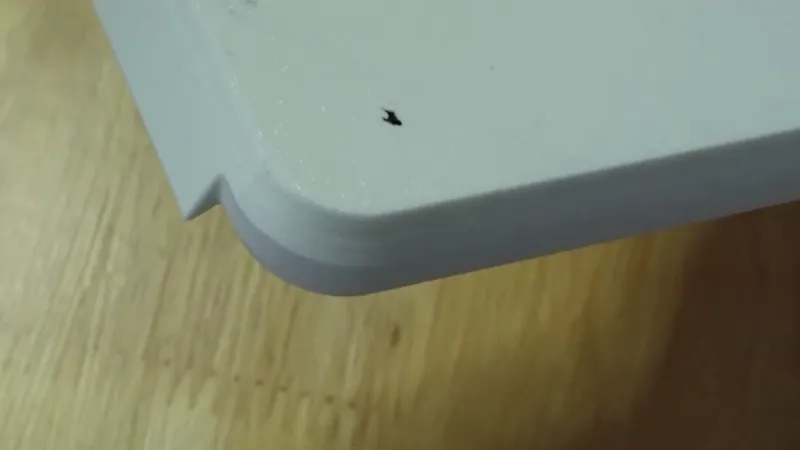
TPU is not the H2D’s strong suit. Bambu Lab’s official AMS-compatible TPU works well for feeding and produces decent prints, but it’s far too stiff for applications needing flexibility. When I tried using it for flexible treads on my CyberBrick forklift build, the result was like making tank tracks out of a frozen garden hose. That said, it’s still useful for semi-rigid parts like a belt I designed, or phone cradles where you want a scratch-resistant surface.
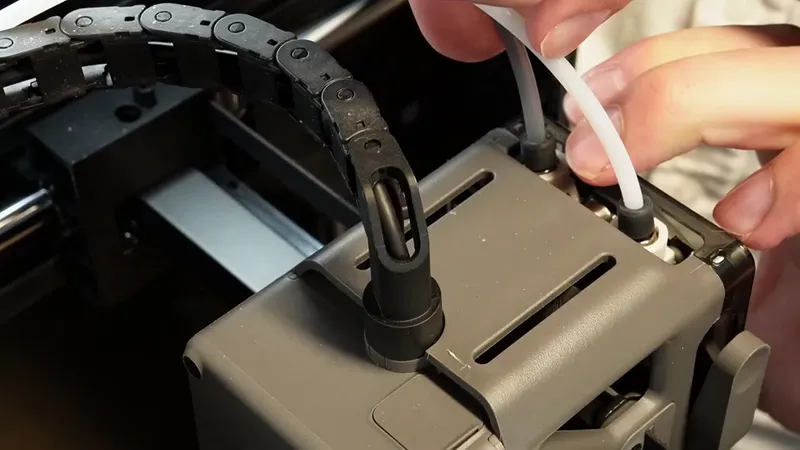
But if you want to print with softer TPU, prepare for some frustration. You’ll need to remove the printer’s top cover, detach the PTFE tube, and feed filament manually into the extruder. It's an awkward process. Even then, TPU tends to ooze in places it shouldn’t. About one in three TPU prints with another material ends up with stray TPU where it doesn’t belong. If you don’t need perfect aesthetics, it’s manageable, but far from ideal.
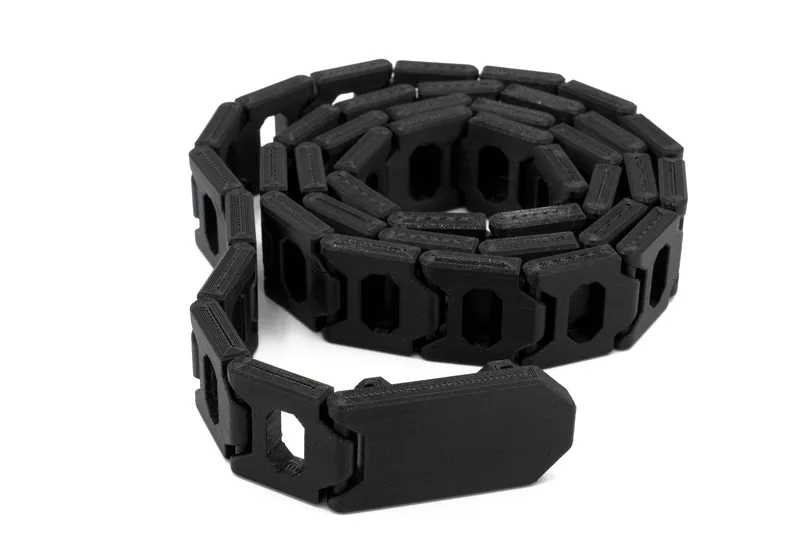
The belt model is available on the belt download page.
ASA Filament: A Rough Experience
I haven’t done much printing with ASA, but one of my first attempts tore off a chunk of the print bed. I waited until the bed cooled to room temperature before removing the print, so I suspect a calibration issue, or perhaps I should’ve used a glue stick for adhesion.
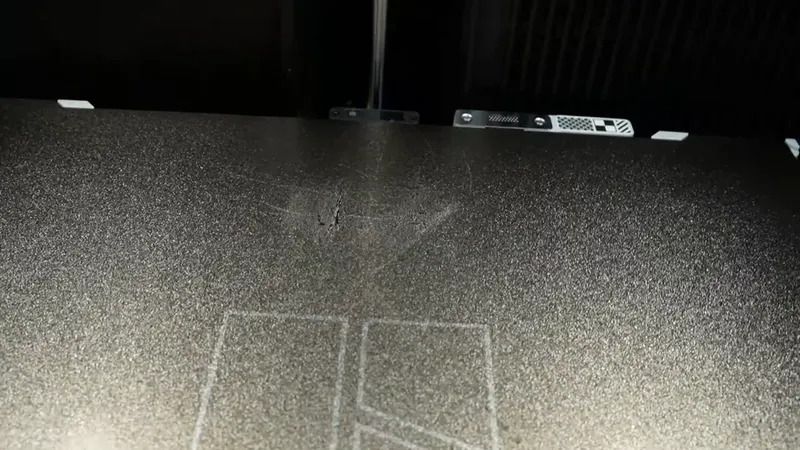
If you’ve had similar ASA issues with the H2D, I’d love to hear your thoughts in the comments.
AMS Frustrations: Spools and Supply
While the AMS isn’t technically part of the H2D, it’s practically essential. Unfortunately, it has its share of quirks.
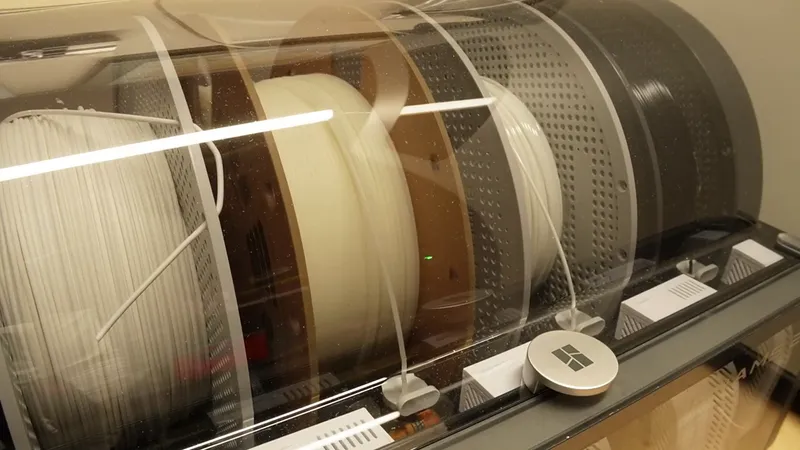
When using cardboard spools, the filament sometimes jumps out of the rollers near the end of the spool, causing extruder motor overload errors. This happened four or five times before I gave up on that spool. There are fixes, such as 3D-printable ring adapters or rewinding the filament onto plastic spools, but they’re extra hassle I’d rather avoid.
Official Filament and Shipping
Bambu’s official filaments work reliably with the AMS. They’re RFID-tagged, so the printer automatically detects filament type. The downside? In my experience, shipping takes three to four days, which is slow compared to same-day Amazon delivery. That delay makes it tempting to grab generic filament locally, even if it means dealing with cardboard spools and AMS compatibility issues.
Parts Availability: A Bit of a Gamble
If you visit BambuLab.com looking for replacement parts, you’ll find an unpredictable assortment. Some days, key items like print nozzles, beds, or AMS parts are available. Other days, they’re not.
It feels like shopping at a swap meet. You rarely know what you’ll find. For a printer in this price range, that’s unsettling for long-term maintenance.
Cloud Connectivity Glitch
In months of use, I’ve only had one cloud issue: a model that refused to transfer from Bambu Studio to the printer. It was an early, unnerving experience, but luckily it was fixed by loading the file via USB. It’s only happened once, but worth mentioning.
No Onboard Storage
In this day and age, the H2D still has no built-in user storage for print files or camera recordings. You’ll need to keep a USB drive plugged in. It works, but it’s clunky and one accidental bump could easily damage the port or the drive.
Filament Breaks
I had one case where filament snapped between the buffer and the extruder head. This caused repeated loading failures until I discovered the broken piece lodged inside the tube. Fortunately, it was easy to remove once found, but it’s a reminder that even small things can derail your print session.
Left-versus-Right Nozzle Limitations
The H2D’s dual-nozzle system has physical reach limits. The left nozzle can’t travel as far right as the right nozzle, and vice versa. This means if you slice a model with one nozzle setup and later swap materials between nozzles, you’ll need to re-slice the model. Slice with PLA on the left and supports on the right nozzle, swap them later, and you have to re-slice. It’s not a dealbreaker, but it’s an inconvenience that feels like it could be fixed with smarter software. I recognize this won't work for the entire print volume but should for at least the areas reachable by both nozzles.
Print Failures and Material Reliability
Now, for actual print results. PLA and PETG have been my least reliable materials on the H2D, while PAHT-CF and ABS have been very reliable (and ASA has been fine apart from the bed-damage incident above). Oddly enough, PLA and PETG are supposed to be easier to print with, yet they caused the most trouble.
Vampire Teeth Candy Bowl
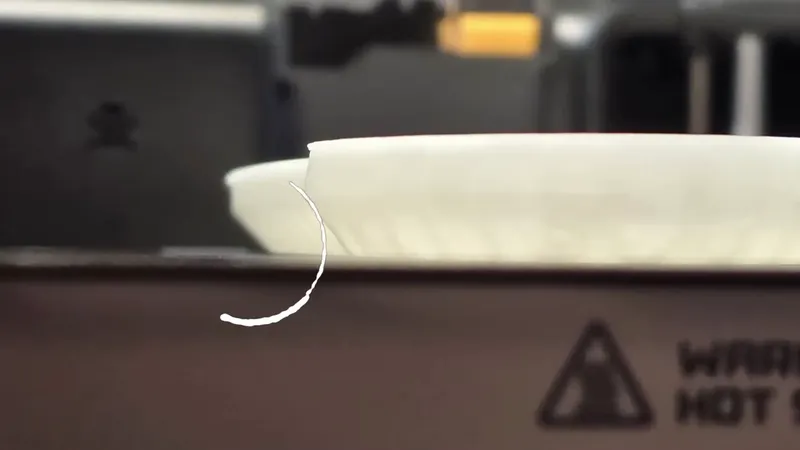
A large glow-in-the-dark candy bowl printed flawlessly in ABS three times. When I ran out of ABS and switched to PLA, all three attempts failed. The print kept lifting from the bed, eventually colliding with the nozzle until the printer forced a recalibration sequence. I tried drying the filament, cleaning the bed, and printing with the door open, all with no luck. After three failed PLA runs, I gave up and ordered more ABS.
Realistic Horse
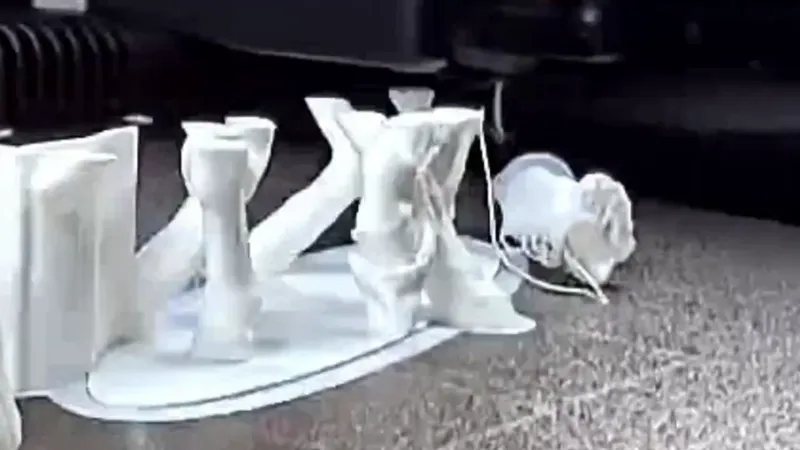
I tried printing a realistic horse model for my daughter four times with PETG. Each time, the tail broke off at the same weak point where it attached to the print bed. Increasing brim size or adding a raft might have helped, but I eventually stopped trying. The silver lining: the H2D’s sensors did detect when the print failed and paused automatically, saving filament.
Small-Part Adhesion
Printing the CyberBrick controller in one go caused tiny joystick knobs to pop loose from the bed. My workaround was to print the main body separately and run the knobs afterward. Not ideal, but manageable.
Where the H2D Shines: Catching My Mistakes
Despite its flaws, the H2D consistently saved me from my own mistakes. It’s smart enough to detect when I’ve installed the wrong nozzle, print bed, or Bambu filament and, as a result, has stopped me from starting a doomed print. That’s the kind of reliability that’s hard to appreciate until you’ve owned a printer that doesn’t catch those errors.
Final Thoughts: Worth It?
So, would I still recommend the Bambu Lab H2D after months of printing?
Yes, but with eyes wide open. If you print parts requiring a heated chamber, it's hard to beat this printer right now.
If you’ve had your own experiences, good or bad, with the H2D or AMS, I’d love to hear about them.
Thanks for reading and happy printing!