
The Bambu Lab H3C has raised some interesting questions about tool-changing 3D printers, multi-material printing, and whether nine available tools offer meaningful advantages over the H2D. As an H2D owner, I'm most interested in TPU compatibility, automatic nozzle selection, independent filament drying, faster two-material printing, easier maintenance, and a smaller overall workshop footprint.
The real question isn't how many colors the H3C can print. It's whether the printer can make everyday functional 3D printing simpler.
What do we actually know about the H3C?
At the time of this discussion, Bambu Lab has revealed relatively little about how the H3C works.
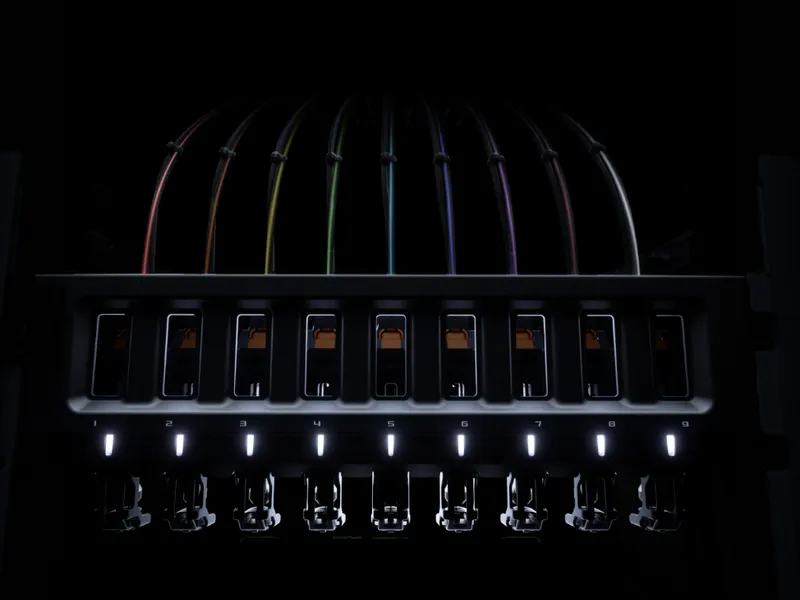
The available teaser material includes an image showing nine nozzles and another showing a watch printed with different materials and nozzle sizes. Those images suggest some interesting possibilities, particularly for tool changing and multi-material printing, but they leave most of the important mechanical and operational details unanswered.
This isn't a review of the H3C. I haven't tested one, and there isn't enough confirmed information to draw conclusions about its performance.
Instead, these are the questions I'd like answered before deciding whether it makes sense to upgrade from my H2D.
Can I print TPU without the external bypass?
I print a surprising amount of TPU.
Flexible filament is useful for protective covers, grips, belts, seals, and other functional parts that need to bend instead of break. It's one of the three materials I use most often.
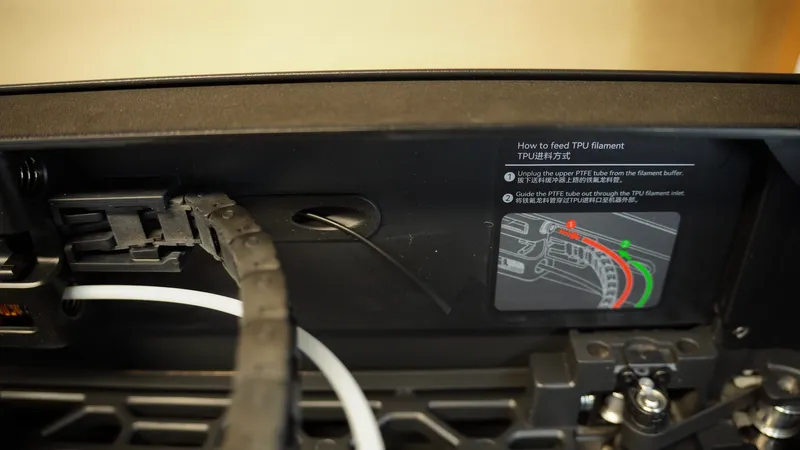
On my H2D, printing ordinary TPU generally means bypassing the AMS and using the external filament path.
That works, but it adds another step to the process. I have to change the filament routing rather than simply select a material and start printing.
The H3C's tool-changing arrangement raises an interesting possibility: could one tool remain loaded with TPU all the time?
If a dedicated TPU tool can stay connected and ready to print, it would eliminate one of the more common interruptions in my workflow.
Of course, that depends on how the H3C handles filament feeding. Having nine tools doesn't automatically mean nine materials can remain independently loaded.
That's the detail I'm waiting to see.
Can I leave PLA, TPU, and nylon loaded?
This is probably my biggest question about the H3C.
Most of my printing involves three materials:
- PLA for rigid household parts, brackets, enclosures, and general-purpose projects.
- TPU for flexible components, protective covers, grips, and seals.
- Carbon-fiber nylon for parts that need improved heat resistance and mechanical performance.
These materials serve different purposes, and I frequently switch between them.
I don't necessarily need to print all three materials in the same job. What I want is to have them connected to the printer and ready whenever I need them.
Ideally, I could finish a PLA enclosure, send a TPU gasket to the printer, and then start a nylon component without manually changing filament paths or rearranging the machine.
That would be a meaningful improvement over my current setup.
Nine-color printing will appeal to plenty of people, but having three different engineering materials ready to go would be far more useful for the projects I make.
Nothing against multicolor dragons.
Can different tools use different nozzle sizes?
The H3C teaser showing a watch printed with different materials and nozzle sizes is particularly interesting.
Nozzle diameter affects both the level of detail a printer can produce and the amount of material it can extrude.
A smaller nozzle is useful for fine features, while a larger nozzle can be a better choice for larger functional parts where throughput matters more than tiny details.
TPU can also benefit from a larger nozzle, depending on the material, extruder, and printing conditions.
Consider a part with a rigid PLA structure and a flexible TPU seal.
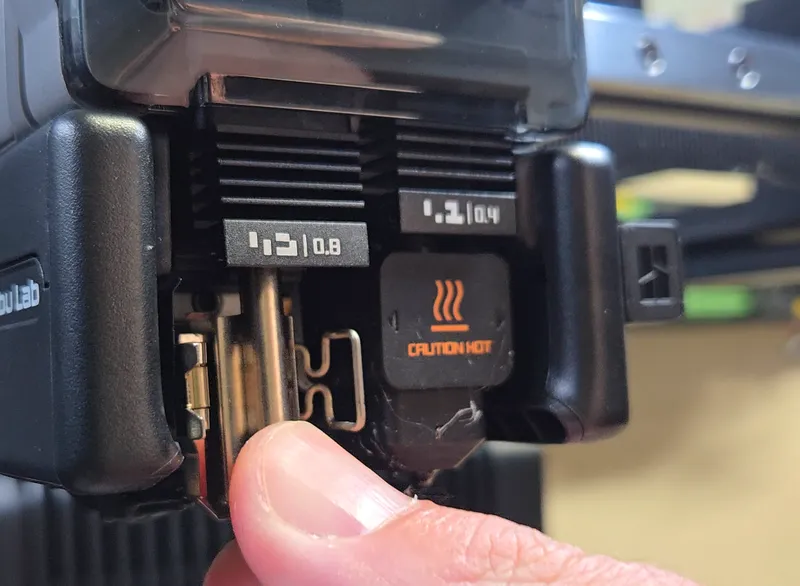
I'd like to print the detailed PLA geometry using a 0.4 mm nozzle, then switch to a 0.6 mm nozzle for the TPU.
If the H3C supports different nozzle sizes within a single print, it could allow each material to use a more appropriate extrusion setup.
There would still be questions about material bonding, temperature compatibility, and how the printer coordinates the different tools. But the ability to select nozzle sizes independently could be genuinely useful.
Can one spool feed multiple tools?
There's another nozzle-related possibility that might be even more valuable.
Could the H3C automatically route the same filament spool to different tools?
For example, imagine I have a spool of PLA connected to the printer.
My first job is a small, detailed component that would benefit from a 0.2 mm nozzle. The next job is a large enclosure that could print faster with a 0.8 mm nozzle.
On a conventional setup, switching between those jobs might require changing the nozzle or moving filament to a different extruder.
But if the H3C could route the same spool to either tool, I could select the appropriate nozzle in the slicer and send the job without touching the printer.
That would make multiple nozzle sizes available on demand without requiring a separate spool for each one.
There are some important questions about how filament would be unloaded, routed, and reloaded between tools. None of that is confirmed by the teasers.
Still, this is one of the capabilities I'd be most interested in seeing.
How will the H3C handle filament drying?
Keeping multiple materials loaded introduces another problem: moisture.
Nylon is hygroscopic, meaning it absorbs moisture from the surrounding air. Wet nylon can produce poor surface finish, inconsistent extrusion, bubbling, and weaker printed parts.
TPU can also absorb moisture, although its behavior depends on the formulation.
PLA generally has less demanding drying requirements than nylon, and it doesn't benefit from being exposed to nylon's elevated drying temperatures.
The Bambu Lab AMS HT already provides active filament drying, but storing multiple materials is different from drying them all under the same conditions.
What I'd like to know is whether the H3C's filament management system can handle those requirements independently.
Specifically:
- Can I actively dry nylon while PLA and TPU remain connected?
- Can different materials be maintained at appropriate temperatures?
- Can the system provide low-humidity storage without heating every spool?
- Will I still need separate filament dryers and storage containers?
If the H3C can keep several materials ready while managing their moisture requirements, it could eliminate a fair amount of preparation.
If it still requires separate dryers and external storage, the advantage becomes less significant.
Will the extruder be easier to maintain?
The H2D is an impressive printer, but its extruder assembly is not especially simple.
There are quite a few components packed into a relatively small space. When something needs cleaning, adjustment, or replacement, accessing the affected component can take more effort than I'd prefer.
The H3C's tool-changing design could potentially improve serviceability.
If each tool is a removable module, it might be possible to take one out, clear a clog, replace a worn component, and reinstall it without disassembling a large portion of the machine.
That would be a welcome change.
But there's another possibility.
Instead of simplifying maintenance, the H3C could introduce additional mechanisms, electrical connections, filament paths, and alignment requirements.
A tool-changing system needs to position each tool accurately and repeatedly. It also needs reliable mechanical and electrical interfaces that continue working after many tool changes.
Those are additional systems that may eventually require maintenance.
I'd like to know how easily individual tools can be removed, cleaned, repaired, and replaced.
Nine tools sound wonderful until you have to maintain nine tools.
Will two-material printing actually be faster?
I don't do much multicolor printing, but I frequently print with multiple materials.
One common example is using a dedicated support interface material to make supports easier to remove.
The H2D can already handle two-material jobs with its dual-nozzle arrangement, so simply adding more available tools isn't enough to convince me to upgrade.
What matters is whether the H3C can complete the same job faster.
Tool changing introduces several potential sources of overhead:
- Moving between the active tool and the tool storage location.
- Parking and retrieving tools.
- Heating or cooling nozzles between uses.
- Purging or cleaning residual filament.
- Verifying that the selected tool is ready to print.
Some of those operations might be very quick. Others could add significant time to a print with frequent material changes.
The important measurement isn't simply how long an individual tool change takes.
It's the total print time.
I'd like to see the same two-material model printed on both the H2D and H3C, using comparable settings and materials.
If the H3C can reduce the time spent on material transitions, that's a meaningful improvement.
If the tool-changing mechanism adds overhead without reducing other delays, the result might not be any faster.
What happens to filament oozing from parked tools?
This is one of the less glamorous questions, but it could be critical to the printer's reliability.
When a hot nozzle stops extruding, molten filament can continue to leak from the nozzle tip.
On a tool-changing printer, that creates a potential problem when a tool is parked while another one is printing.
A parked nozzle might continue to ooze, leaving material that could interfere with the next tool change or contaminate a print.
Temperature management makes this more interesting.
Suppose I'm printing nylon with a relatively high chamber temperature while PLA and TPU tools are parked nearby.
PLA and TPU generally have lower temperature requirements than nylon, and excessive heat exposure can cause unwanted softening or deformation in their filament paths.
The H3C will need some way to manage the parked tools and their materials.
I'd like to know whether it uses:
- Mechanical nozzle covers or ooze guards.
- Active cooling or controlled standby temperatures.
- Wiping and cleaning procedures before tool reuse.
- Tool storage arrangements that isolate unused filament from chamber heat.
These details can have a significant impact on print quality and reliability.
A printer with nine tools needs to keep the eight inactive ones from interfering with the one doing the work.
Will the H3C take up less workshop space?
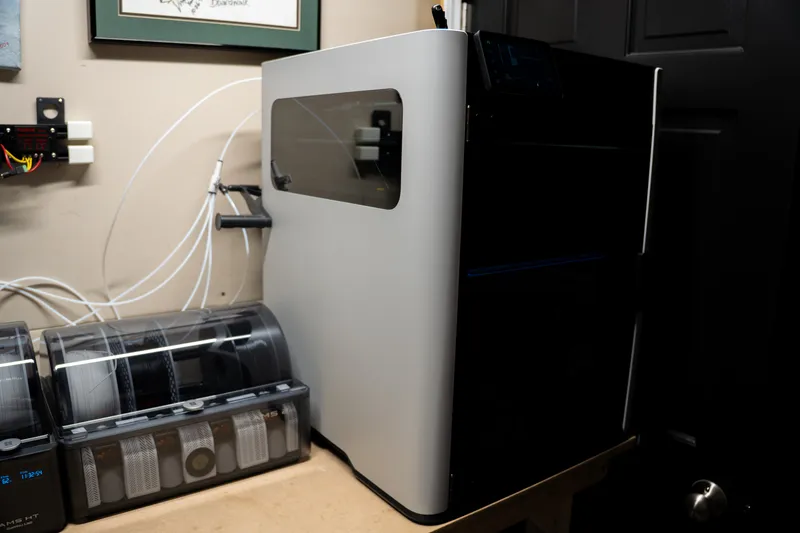
My H2D already occupies a substantial amount of space.
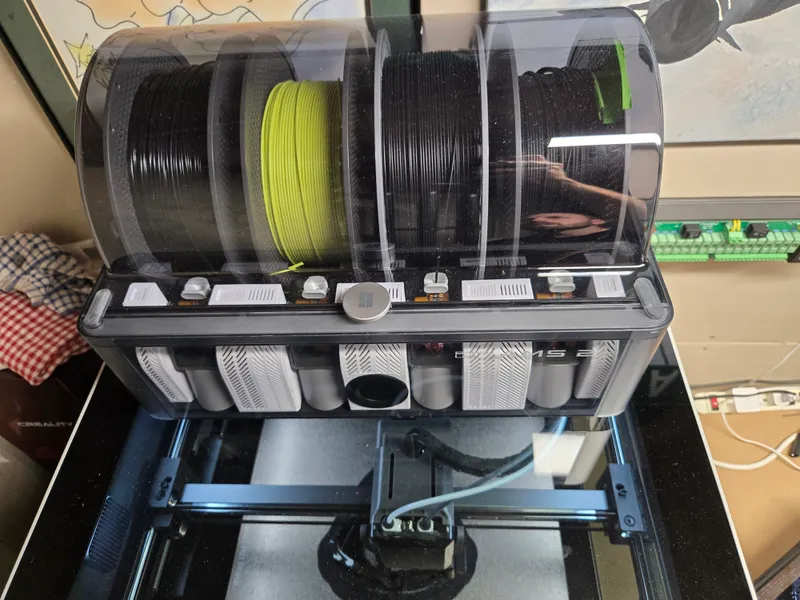
Adding AMS units increases the total footprint, and the space requirements extend beyond the dimensions of the printer itself.
Each AMS needs somewhere to sit. There are filament tubes and cables to route, plus enough clearance to load spools and access the equipment.
The complete installation can occupy considerably more workshop space than the printer alone.
I'm generally happy to use vertical space. A taller printer is easier for me to accommodate than a collection of devices spread across several shelves.
That's why I'm curious about the H3C's overall arrangement.
Could the tools and filament storage be integrated into a relatively compact vertical footprint?
Could the filament system be stacked above or below the printer?
Or will the H3C still require multiple external AMS units to keep nine materials available?
I'd be interested in comparing the complete working footprint of both systems, including filament storage, tool access, cables, and required clearances.
A printer that provides more material options while occupying less shelf space would be a compelling upgrade.
Does the H3C actually make 3D printing easier?
This is the question that matters more than the number of tools, colors, or advertised specifications.
One of my favorite things about the H2D is how little attention it requires.
I can design a part, prepare it for printing, send it to the machine, and generally trust that it will finish the job.
I don't spend much time supervising the printer, and that reliability is a major reason it's become my go-to machine.
The H3C could be a worthwhile improvement if it reduces the amount of preparation and intervention required for everyday printing.
The capabilities that would make the biggest difference to me are:
- Keeping PLA, TPU, and carbon-fiber nylon connected and ready to print.
- Switching between different nozzle sizes without manually changing hardware.
- Managing filament drying and storage without additional equipment.
- Completing two-material jobs faster than the H2D.
- Making individual tools easier to service and maintain.
- Reducing the total workshop footprint of the printer and filament system.
Those are practical improvements that would affect how often I use the printer and how much time I spend preparing jobs.
But additional complexity could work against those benefits.
If the H3C requires more troubleshooting, more maintenance, or more manual intervention, having nine tools might not improve my experience.
The machine needs to make the process easier, not simply add more capabilities.
Would I upgrade from the H2D?
I'm interested in the H3C's tool-changing technology, but I'm much more interested in what it enables.
If I can leave my three most frequently used materials connected, select different nozzle sizes without touching the machine, and reduce the amount of workshop space devoted to filament management, the H3C could be a very interesting upgrade.
If its main advantage turns out to be faster nine-color printing, I'll probably stick with my H2D.
That doesn't mean nine-color printing isn't useful. It just isn't a priority for the type of functional parts I typically make.
Until Bambu Lab provides more information about the H3C's filament routing, tool-changing mechanism, drying capabilities, and performance, there are too many unanswered questions to make a meaningful buying decision.
For now, I'm keeping an eye on the details that could make everyday printing more convenient.
And I'm keeping my H2D.
What would convince you to upgrade?
If you're considering the H3C, I'd be interested to know which features matter most to you.
Are you excited about printing more colors, combining different materials, or having several nozzle sizes ready to use?
And if you already own a capable 3D printer, what would a new machine need to do differently before you'd consider replacing it?
Let me know in the comments. I'll be following up as more information about the H3C becomes available.
Thanks for reading, and God bless.